



やりたかったこと
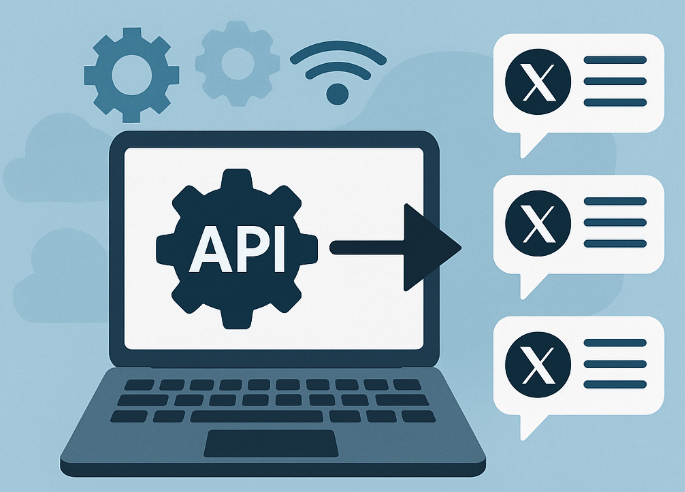
このブログ(scroll)に投稿された際に、Xに自動投稿される仕組みを作りたかった。
XはAPIの審査が厳しいと聞いていたような気がしたので、果たして実現できるか不安だったのですが、意外とすんなり行けたので、登録周りを備忘録として残そうと思います。
X Developer Portal へアクセスする
X Developer Portal へ行き、Xアカウントでログインします。
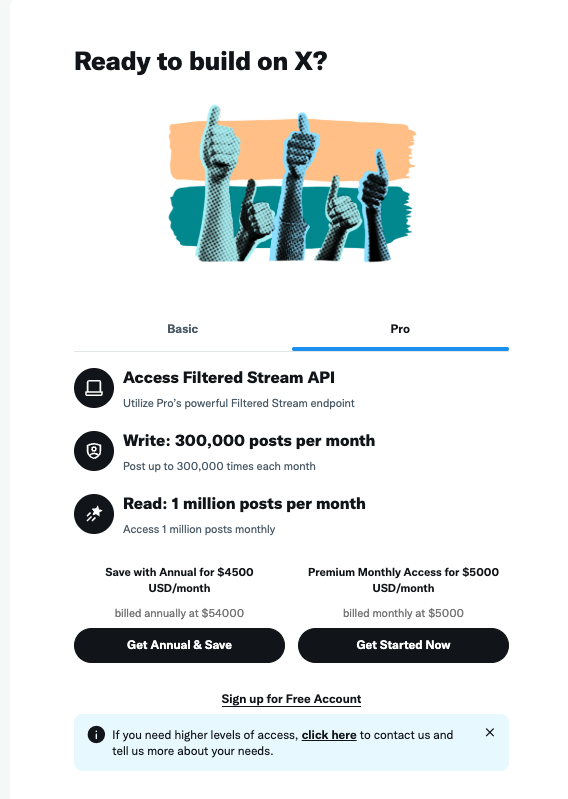
画面下部の Sign up for Free Account をクリック。
利用申請を送る
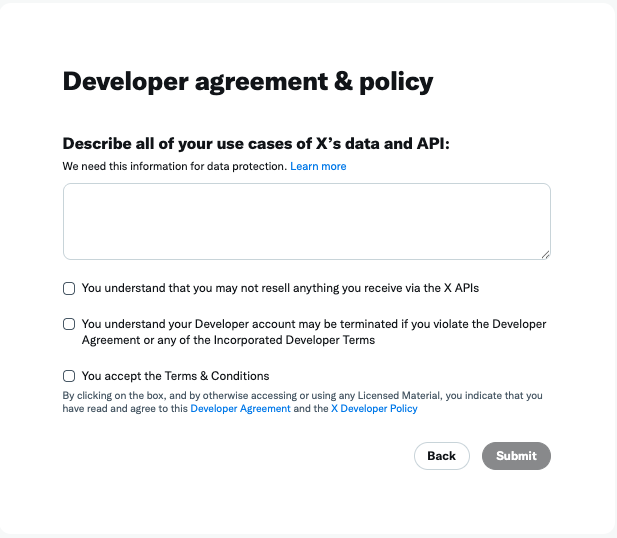
使用用途を入力しろ、と言われますので、適当にChatGPTに作ってもらって埋めました。
Automated Blog Post Sharing for HAGAKURE PROGRAMMING Community
Description:
 I operate the website HAGAKURE PROGRAMMING (https://hagakurepgm.net/blog/
), a community-driven platform that promotes programming education, AI literacy, and local tech learning activities in Saga, Japan. The website publishes articles such as event reports, technical tutorials, and community updates.
To improve community engagement and efficiently notify our audience of new content, I would like to use the X API to automatically publish a tweet whenever a new blog post is published on our site.
 The automated post will include:
The blog post title
A short summary
A link to the article
This automation will only be used for one-way content distribution from our website to our official X account.
 No scraping, data collection, or user-related analysis will be performed.
 No reposting, replies, DMs, or automated follow actions will be executed.
The purpose is solely to help our community discover new content more easily and increase visibility of our educational activities.
Why X API is needed:
 Using the official API ensures safe, stable, and compliant posting automation, rather than relying on unofficial methods.
Data access scope:
 Only the permissions required to publish posts (write access) will be used.
理由を埋めたら、チェックボックス3つにチェックを入れて「Submit」
で、ここから審査に何日かとかかかるのかなと思ってたら、一瞬で開発者画面に入れるようになってました。 きっとGrokが厳正な審査をしてくれたのだと。。
GASでの投稿の方法はネット上に先達の方々の素晴らしい記事があったので参考にさせていただきました。
今回は、Wagtailで記事投稿時にスプレッドシートにもレコードを作成。→スプレッドシートをGASで巡回させて、Xに投稿されていないレコードがあれば投稿する。という流れにしています。
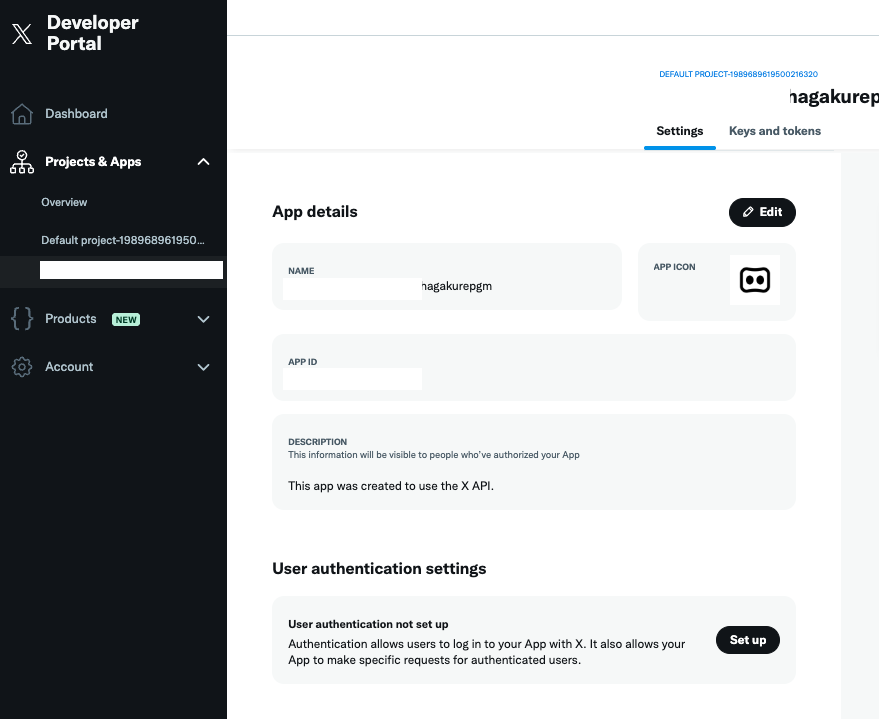
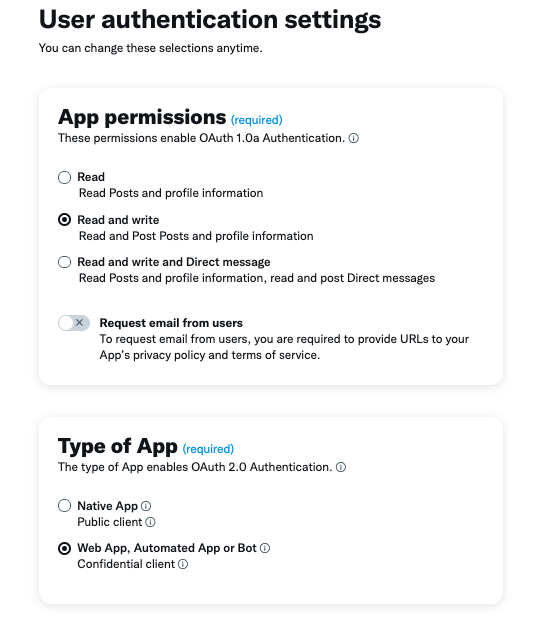
User authentication settingsで設定。
投稿するので、パーミッションは Read and writeを選択。
アプリのタイプはGASの場合 Web App, Automated App or Bot で良いようです。
CallbackIDにはGASのスクリプトIDを含めた以下のURLを入力。
Website URLはなんか適当で良さげ。
https://script.google.com/macros/d/{GASのスクリプトID}/usercallback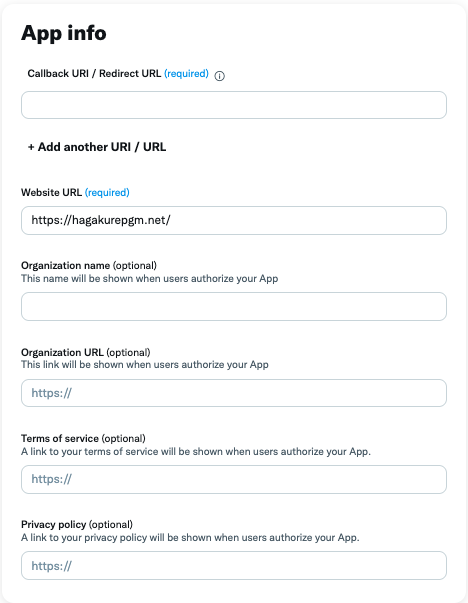
これでSaveを押すと、CLIENT_IDとCLIENT_SECRETが取得できました。 (漏洩しないように取り扱い注意です)
この二つを使って、GASでスプレッドシートに書かれた内容を自動投稿させます。

コードの細かい内容は割愛しますが、GASは結構簡単に実装が出来ました。 何よりXの承認がめんどくさそうと思っていたけど、拍子抜けするほどあっさりと認証されたので、雰囲気で避けて通ることなくやってみるもんだなと思いました。
